
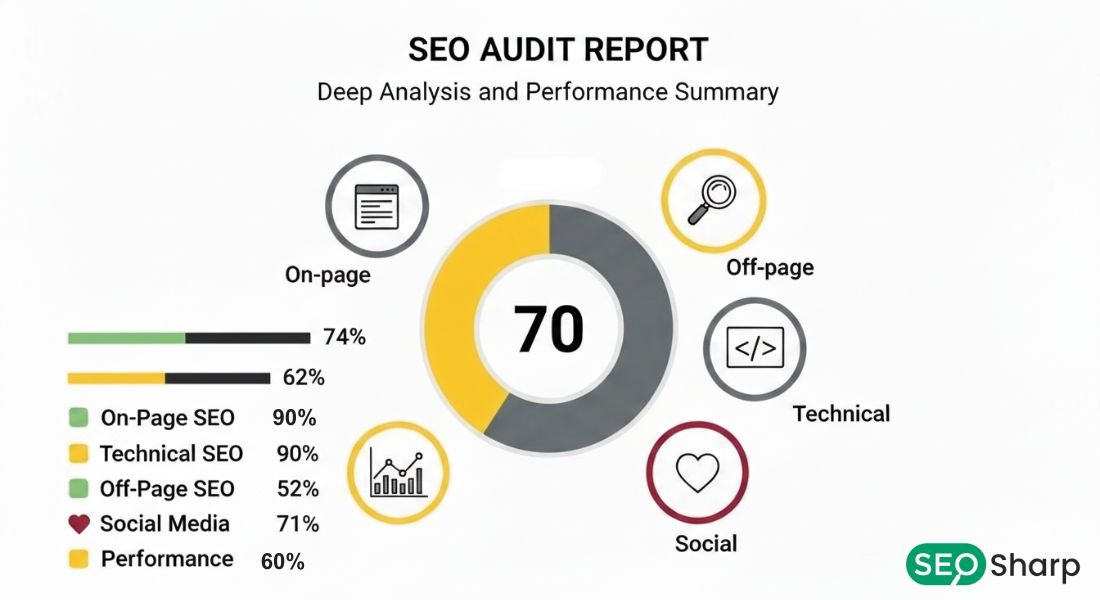
An SEO audit report template is a structured document that organizes your website analysis findings into clear actionable sections. It presents technical issues on-page problems, content gaps and backlink insights in a format that stakeholders understand and teams can implement.
This guide shows you how to build professional SEO audit reports that drive real results. You’ll learn what sections to include, how to organize findings effectively and how to communicate recommendations so your team fixes critical issues first and improves rankings systematically.
What Makes an Effective SEO Audit Report?
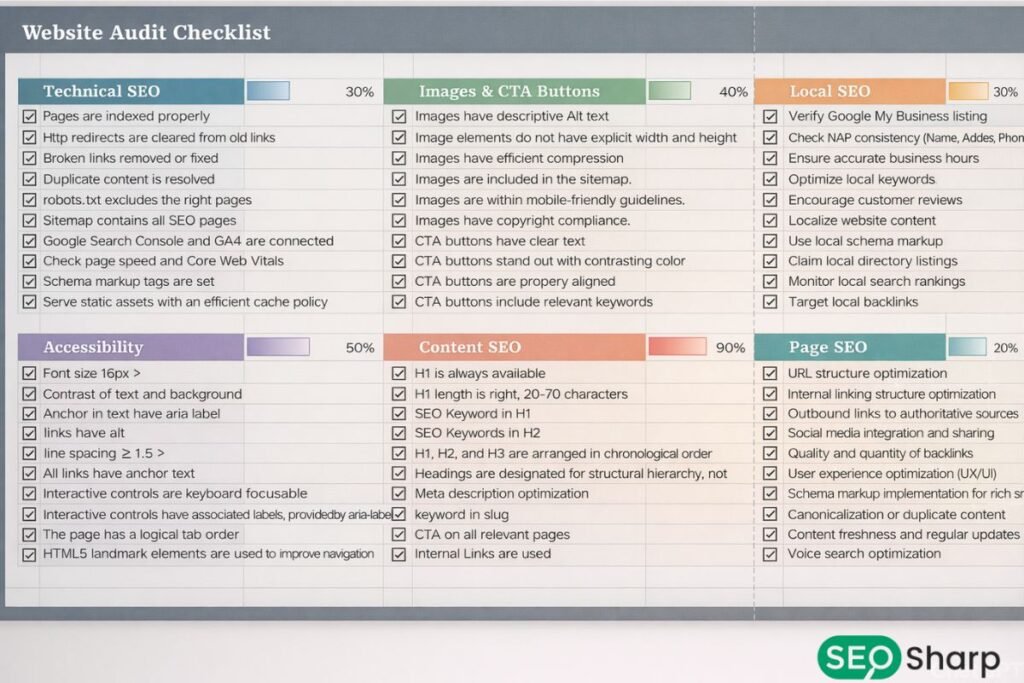
Most audit reports fail because they dump data without clear organization. Teams receive documents listing hundreds of issues but can’t identify which problems matter most.
Effective reports solve this through clear structure separating technical and content issues priority systems showing which fixes deliver the biggest impact and visual support making complex problems easy to understand.
The best reports provide implementation guidance transforming findings into action. They explain why each issue matters, show specific examples with evidence and recommend exact steps to fix them.
Executive Summary
The executive summary gives stakeholders a quick overview showing overall site health through numerical scores or color-coded gauges. List the three to five most critical issues needing immediate attention with brief impact explanations. Include comparison metrics showing performance against competitors in domain authority traffic and rankings.
Technical SEO Audit Findings
Technical recommendations form your foundation because infrastructure problems block everything else. This section documents issues preventing search engines from properly crawling indexing and ranking content.
Check robots.txt configuration XML sitemap accuracy HTTPS implementation and canonical tags. Measure Core Web Vitals showing Largest Contentful Paint (under 2.5 seconds) Interaction to Next Paint (under 200 milliseconds) and Cumulative Layout Shift (below 0.1).
On-Page SEO Analysis
On-page analysis evaluates how well pages communicate topics to search engines. Review title tags for uniqueness and keyword placement meta descriptions for compelling summaries and header tag hierarchy. Verify keyword optimization and image alt text. Analyze internal linking to identify orphaned pages and strengthen topic connections.
Content Quality Assessment
Content evaluation assesses depth, relevance and authority. Identify pages not matching search intent or providing insufficient information. Find thin content needing expansion duplicate pages requiring consolidation and outdated information needing updates. Document keyword cannibalization and gaps where competitors provide more comprehensive coverage.
Off-Page and Backlink Profile
Backlink analysis examines link profile quality and quantity. Identify authoritative domains linking to you and toxic links potentially harming rankings. Review anchor text distribution for natural patterns. Document broken backlinks worth reclaiming and competitive gaps showing where competitors have advantages.
Robots.txt Configuration
Verify the file exists in root directory check for unintended blocks of important content and confirm it links to XML sitemaps. Document any issues where robots.txt accidentally prevents crawling of CSS JavaScript or images needed to render pages.
XML Sitemap Structure
Verify sitemaps exist and submit correctly to webmaster tools. Check that listed URLs return proper 200 status codes without redirects or errors. Confirm sitemaps update automatically when content publishes or removes.
HTTPS and Security
Verify SSL certificates are valid and active across all pages. Check for mixed content issues where HTTPS pages load resources through insecure HTTP connections. Document security warnings and proper redirect implementation from HTTP to HTTPS.
Mobile Friendliness
Document viewport configuration touch target sizing text readability without zooming and content fitting screens without horizontal scrolling. Test key page templates and include pass/fail results with screenshots showing problems on actual devices.
Page Speed and Core Web Vitals
Measure load times and identify elements causing delays like uncompressed images render-blocking resources or slow server responses. Include Core Web Vitals scores for key page types and compare against recommended thresholds.
Crawling and Indexing Status
Document crawl errors broken links redirect chains and orphaned pages lacking internal links. Check indexing status showing pages in search results compared to total site pages. Document noindex tags that might accidentally hide important content.
Structured Data Implementation
Verify schema markup implementation and check for errors in code syntax. Document which schema types are used and whether they’re complete with required properties. Include opportunities for additional markup like FAQ schema or review stars.
Title Tags and Meta Descriptions
Title tags should clearly describe page content within 60 characters. Meta descriptions provide summaries under 160 characters that encourage clicks. Identify missing duplicate or poorly optimized tags with specific examples showing weak implementations alongside improved versions.
Header Tag Hierarchy
Verify single H1 tags per page matching title topics. Check that H2-H6 subheadings follow logical order without skipping levels. Document pages using headers for styling instead of semantic meaning.
Keyword Optimization
Document keyword usage in titles headers body content and image alt text. Check for appropriate keyword density that sounds natural. Identify pages missing target keywords or using them awkwardly. Document keyword cannibalization where multiple pages compete for identical terms.
Internal Linking Strategy
Analyze link distribution showing if important pages receive adequate links from related content. Document orphaned pages with no internal links. Identify opportunities to strengthen topic clusters through strategic linking.
Content Audit Components
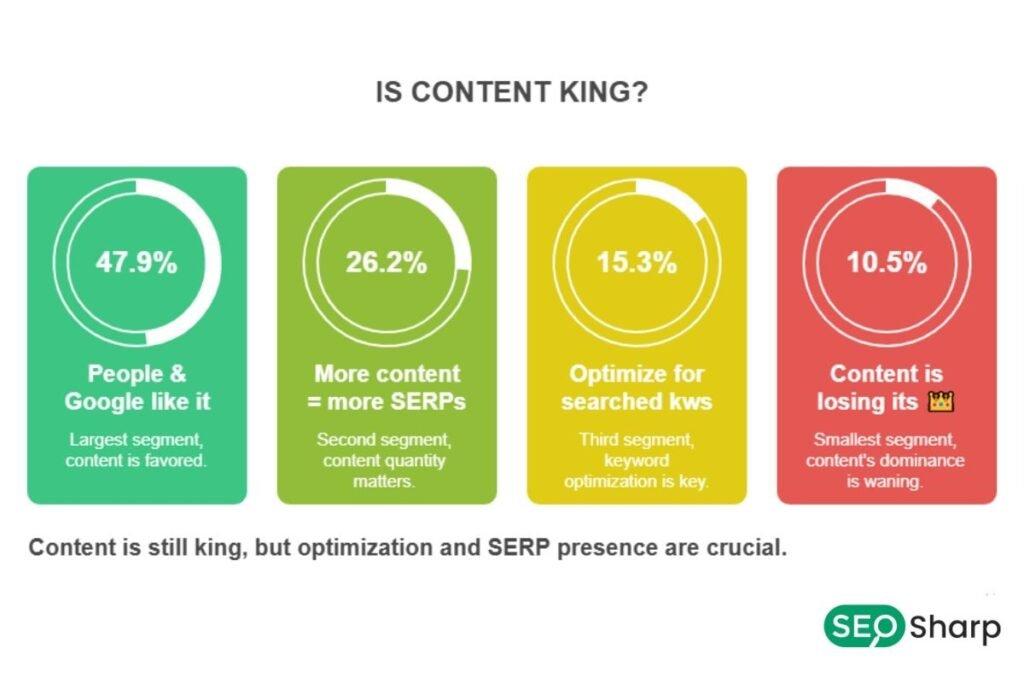
Identify thin pages lacking sufficient detail to rank competitively. Compare word counts and topical coverage against top-ranking competitors. Document pages not matching search intent and include outdated statistics or information.
Identify exact duplicates near-duplicates with minor variations and template generated duplicates. Document canonical tag implementation showing whether duplicates correctly point to preferred versions. Include specific URL pairs with duplication problems.
Identify gaps where competitors rank for valuable keywords but you lack relevant pages. Document topics related to your core offerings where you could create authoritative content. Include search volume data and difficulty scores.
How to Organize Report Findings?
Start by explaining why the issue matters for SEO. Brief context helps non-technical stakeholders understand importance. When discussing canonical tags explain how they prevent duplicate content problems. Keep explanations concise at two to three sentences.
Present exact instances discovered during analysis using bullet points. Include URLs showing the problem screenshots providing visual proof and metrics quantifying severity. Organize findings by severity so critical items appear first.
Provide explicit steps needed to resolve each problem. Avoid vague advice like “improve content quality.” Instead specify “expand product pages from 150 to 500+ words including specifications, use cases and comparison tables.” Include code snippets when possible and assign recommendations to appropriate teams.
Prioritization Framework
Mark issues as critical when they completely block search engines or cause severe user problems. Examples include sites set to noindex broken redirects security warnings or unusable mobile layouts. Use “Fix Immediately” labels with red highlighting. These demand same day attention.
High-impact items significantly affect rankings but don’t completely break functionality. Include slow Core Web Vitals on high traffic pages missing title tags on key pages or broken internal links. Label as “Priority 2” with orange highlighting. These fixes should happen within one to two weeks.
Medium priority recommendations provide incremental improvements like optimizing images on lower-traffic pages. Low priority items offer marginal gains like minor URL improvements. Mark these clearly so teams handle critical issues first.
Implementation Guidance
List each recommendation as a separate line item with page reference. Group by type so technical teams see their tasks together and content teams see theirs. Assign clear owners and include estimated effort levels, quick fixes under an hour, moderate tasks requiring one to three days and complex projects needing weeks.
Add start and end date columns that responsible parties fill during planning meetings. Critical issues need same-week completion. High-impact items schedule across two to three weeks. Lower-priority tasks can spread over months. Build validation periods where you test changes before pushing live.
Create status indicators showing whether recommendations are pending in progress or completed. Use color coding gray for pending yellow for in progress green for completed. Update weekly and schedule follow-up reviews verifying fixes resolved issues as expected.
Common Report Mistakes to Avoid
Reports full of technical terminology alienate non technical stakeholders. Always define technical terms in plain language. Use analogies making abstract concepts concrete.
Text-only reports make problems hard to grasp. Include annotated screenshots charts visualizing trends and diagrams illustrating site architecture throughout reports.
Recommendations without business impact fail to motivate action. Always connect recommendations to business outcomes. Explain how issues affect rankings and visibility. Quantify potential improvements when possible.
Conclusion
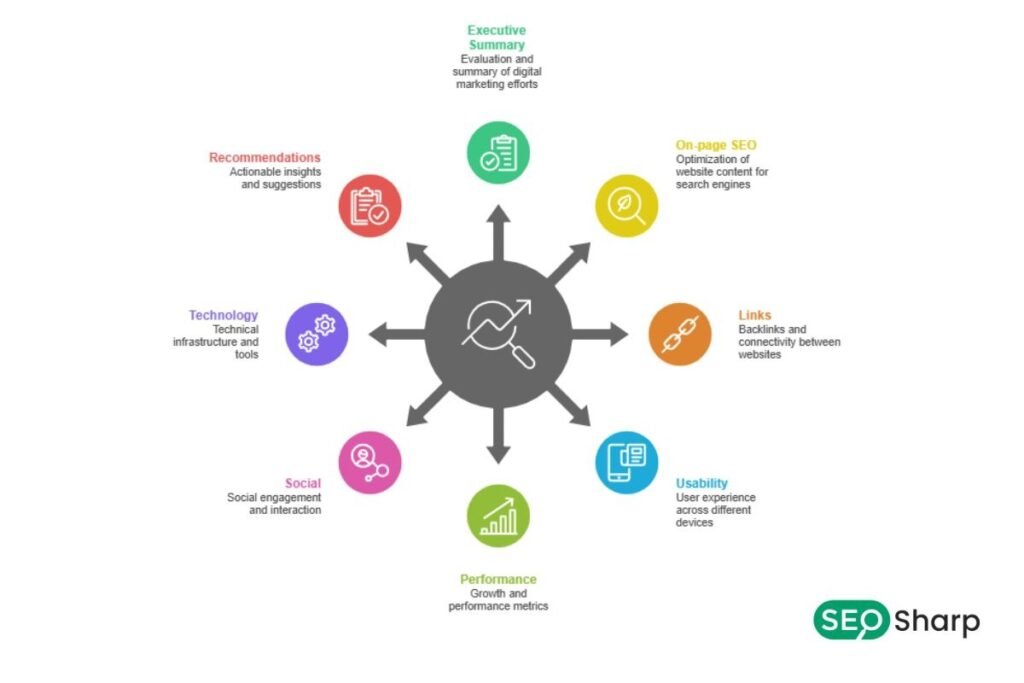
Creating effective SEO audit reports requires clear organization separating technical and content issues, visual support clarifying complex problems and prioritization systems guiding teams toward high-impact fixes.
Well structured reports communicate findings to diverse audiences using appropriate language for each group. They transform recommendations into tracked tasks with owners timelines and status indicators.
Include all essential sections covering technical infrastructure on-page optimization content quality and off-page factors. Use consistent formats presenting concepts, specific findings and actionable recommendations.
When you build reports following these principles you create practical roadmaps that teams actually implement leading to measurable improvements in rankings traffic and user experience.
FAQs
Can I use the same audit report template for all websites?
You can use a base template but customize sections based on site type. E-commerce sites need more focus on product pages and faceted navigation while blogs require deeper content analysis and publishing frequency checks.
Who should receive the SEO audit report?
Share reports with website owners, marketing managers, development teams and content creators. Each stakeholder needs access to understand their role in implementing fixes though you might create simplified summaries for executives focusing only on business impact.
Do I need special tools to create an audit report?
Basic audits can use free tools from search engines and browser extensions for technical checks. Professional reports benefit from crawling software and analytics platforms but the report itself can be created in standard document or spreadsheet programs.
How do I present audit reports to non-technical clients?
Use visual aids like charts and color-coded tables to avoid technical jargon, focus on business impact rather than technical details and always connect recommendations to outcomes like increased traffic or better user experience.
What’s the difference between a free and paid audit report?
Free reports typically cover surface-level issues using automated tools and provide generic recommendations. Paid professional audits include manual analysis, competitive research customized strategies and detailed implementation guidance with ongoing support.

2 Responses
Great guide on structuring an SEO audit! I think it’s especially important to note that, while technical issues often get the most attention, optimizing content and improving the user experience can yield quicker, visible results. Prioritizing fixes based on impact and effort is definitely key.
Thank you for the great insight.
I completely agree, content and UX improvements often show faster results than technical fixes alone.
Prioritizing actions by impact and effort is exactly the right approach.