
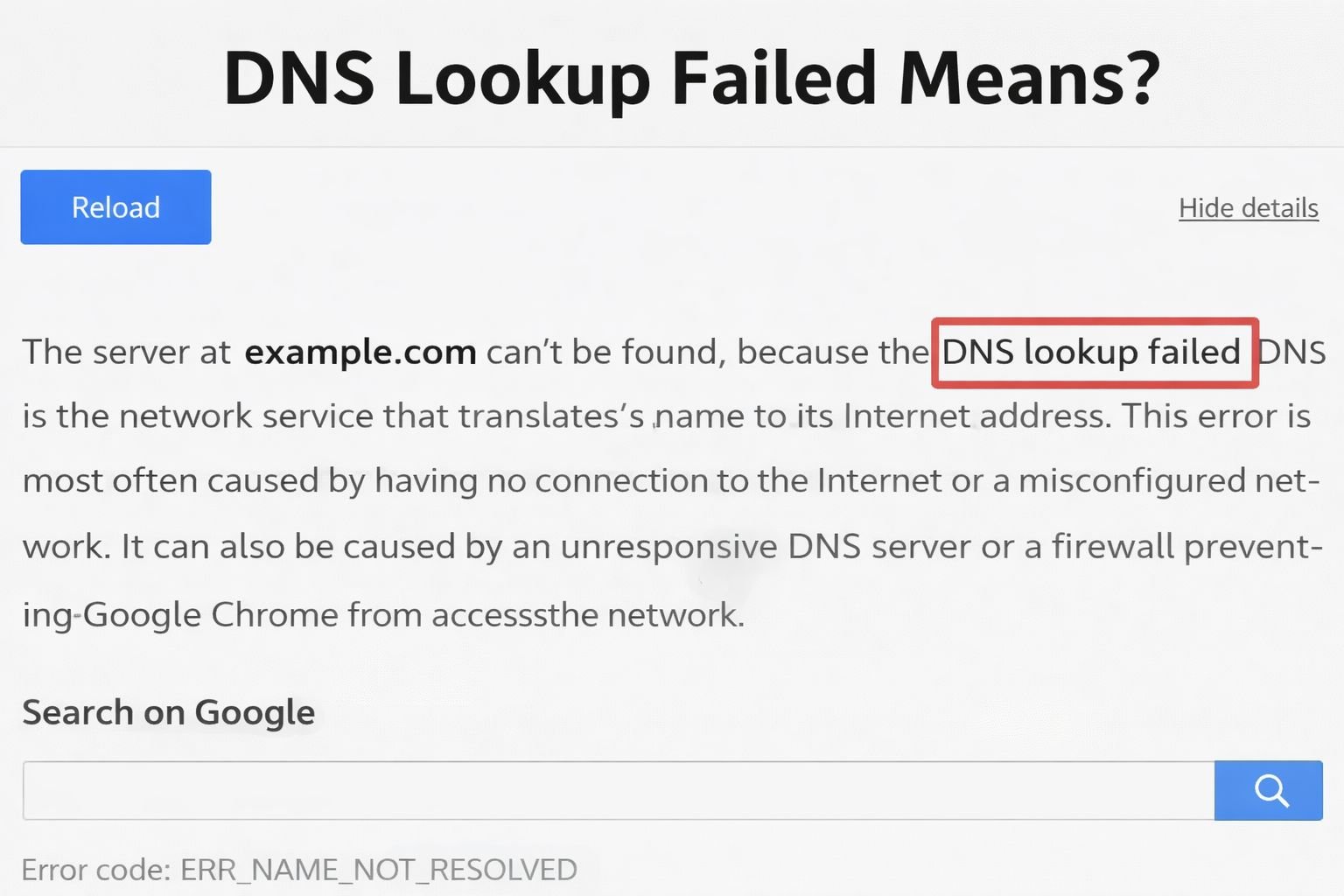
A DNS lookup failed error happens when your device cannot translate a website’s name into its corresponding IP address. This can prevent you from opening websites or accessing online services which is frustrating especially when everything else seems fine.
If you’ve ever seen messages like “DNS_PROBE_FINISHED_NXDOMAIN” or “Server IP Address Could Not Be Found” you’ve encountered this common networking problem. Understanding why it happens and how to fix it is simpler than most beginners think.
What is a DNS Lookup?
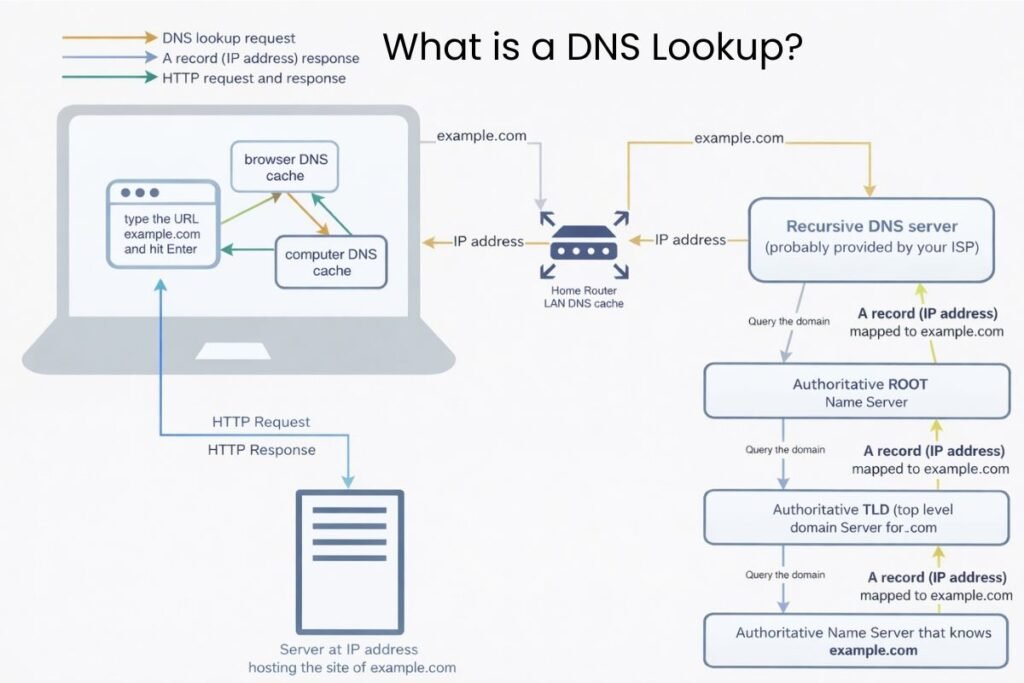
The Domain Name System (DNS) works like the internet’s phonebook. When you type a domain name such as example.com into your browser DNS translates it into a numeric IP address which lets your device connect to the server hosting that website.
A DNS lookup error occurs when this translation fails meaning your computer or phone cannot find the correct IP address.
Common Causes of a DNS Lookup Failed Error
A DNS lookup can fail for many reasons and knowing the root cause helps you fix it quickly. One common issue is an incorrect DNS configuration on your device or router which blocks proper communication with DNS servers.
Network connectivity problems like an unstable Wi-Fi or a modem issue can also interrupt the DNS request. Sometimes the DNS server itself may be down overloaded or unreachable which causes your device to report an error.
Firewalls or antivirus software with strict settings can block DNS queries while a corrupted DNS cache may store outdated information that prevents successful resolution.
Additionally domain-specific issues such as misconfigured DNS records or expired domains and ISP-related outages can contribute to lookup failures.
How to Fix a DNS Lookup Failed Error?
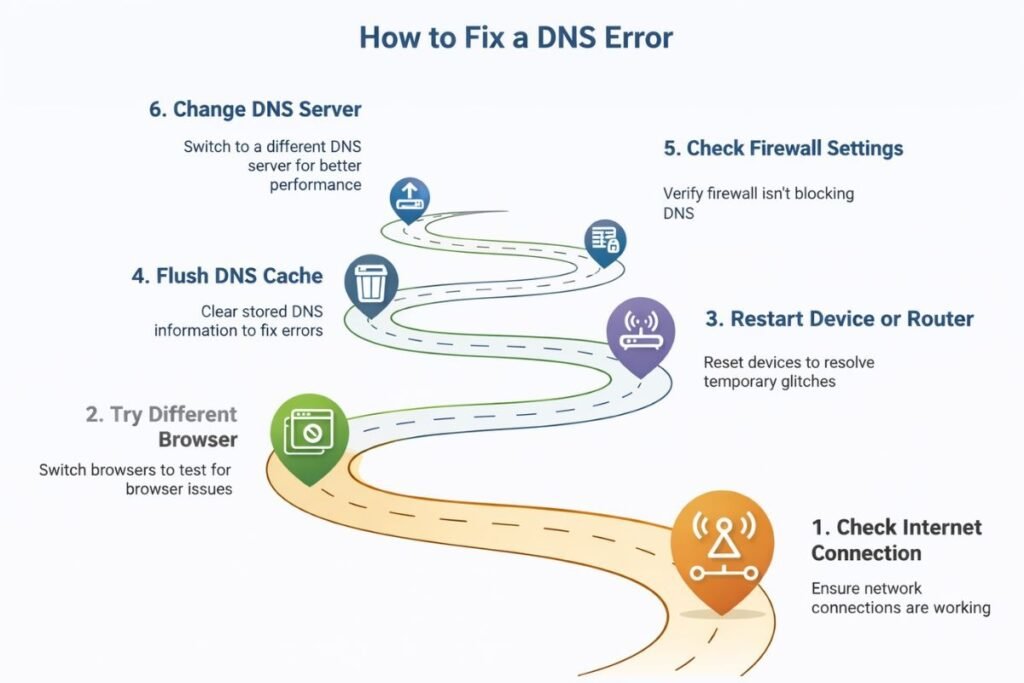
Fixing DNS issues does not require advanced technical knowledge. First check your internet connection to ensure your device is properly connected. Restarting your router and device often resolves temporary connectivity glitches.
Clearing your DNS cache on Windows Mac or Linux removes outdated records that may be causing the error. For Windows open Command Prompt and type “ipconfig /flushdns” while on Mac you can run “sudo dscacheutil -flushcache; sudo killall -HUP mDNSResponder.”
Switching to a reliable public DNS server is another effective solution. Services like Google DNS Cloudflare or OpenDNS offer fast and stable DNS resolutions. You can update the DNS settings at the device or router level to apply changes for all connected devices.
If the problem persists, test accessing the website on a different network to see if the issue is network-specific. Temporarily disabling firewall or antivirus software can also help determine if security settings are interfering with DNS lookups.
Using online DNS tools like MXToolbox or Control D allows you to check whether a domain’s DNS records are properly configured. It is also worth verifying your system’s hosts file to ensure no incorrect entries are overriding DNS resolution.
Updating your router firmware and network drivers on your device can prevent recurring DNS issues and improve overall connectivity.
Common DNS Lookup Error Messages
Several error messages indicate DNS lookup failures. “DNS_PROBE_FINISHED_NXDOMAIN” means the domain does not exist or cannot be found. “Server IP Address Could Not Be Found” appears when the DNS server fails to resolve the domain.
“ERR_NAME_NOT_RESOLVED” indicates the domain name could not be resolved by the DNS server and “DNS_TIMED_OUT” shows that the server took too long to respond. Recognizing these messages can help troubleshoot effectively and prevent repeated frustration.
How Does DNS Lookup Failed Affect Users?
When DNS lookups fail websites fail to load apps may not work and online services can become inaccessible. For businesses this can affect productivity, customer access and revenue.
Frequent DNS errors may indicate underlying network problems or misconfigured devices. Being proactive by understanding DNS functionality and common errors can save time and frustration.
How to Prevent DNS Lookup Failures?
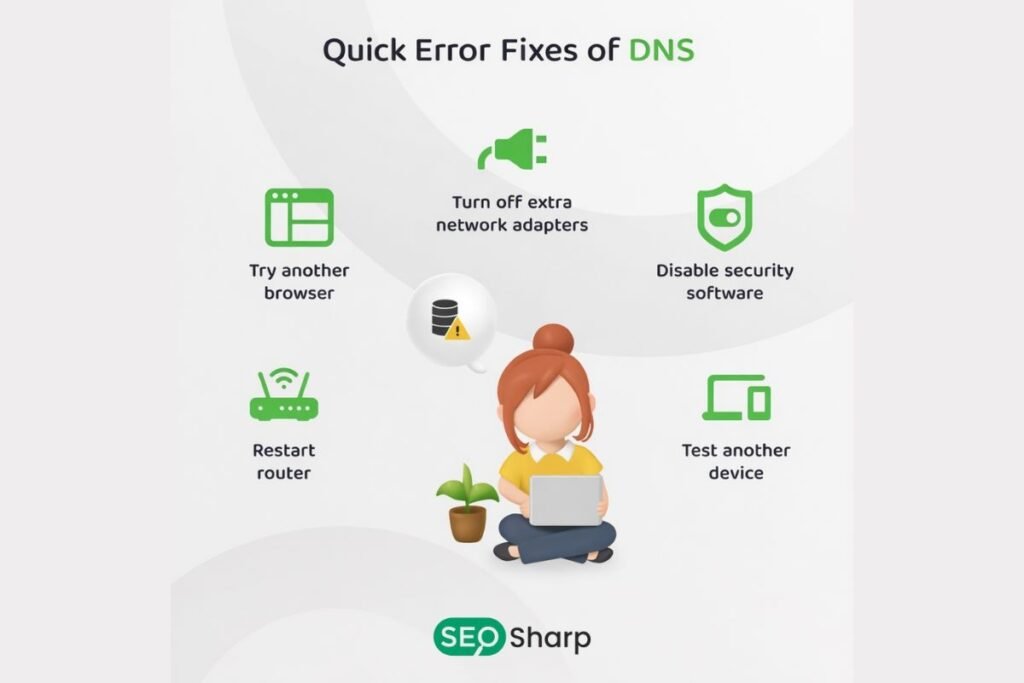
Preventing DNS issues begins with using reliable DNS servers and keeping your router and devices updated. Clearing DNS caches regularly avoids stale records causing repeated errors. Monitoring your network especially for patterns of errors helps identify intermittent issues.
If you manage your own domain ensure DNS records such as A CNAME and MX are configured correctly and updated when necessary. Choosing high-quality public DNS providers or managed DNS services improves reliability and speed reducing the chances of lookup failures.
Conclusion
DNS lookup failures can be frustrating but understanding why they happen makes them easy to fix. By checking your connection, clearing cache switching to a reliable DNS and keeping your network devices updated you can prevent most errors.
At SEOsharp we make it simple to manage and test DNS with our free DNS lookup tool designed to help beginners and professionals quickly identify issues.
Regular monitoring and using trusted DNS servers ensure smoother faster and more reliable internet access. With these steps you can stop worrying about DNS lookup failures and keep your browsing experience uninterrupted.
FAQs
Can a slow internet connection cause DNS lookup failures?
Yes if your internet is unstable or weak DNS requests may time out. This prevents your device from resolving website addresses properly. Improving connection speed often resolves these errors.
Does using a VPN affect DNS lookups?
Sometimes VPNs route DNS queries through their own servers. If those servers are misconfigured or slow you may see DNS errors. Choosing a reliable VPN usually fixes this issue.
Why do DNS errors happen only on certain websites?
Certain domains may have incorrect or outdated DNS records. Temporary server problems can also prevent your device from resolving the site. Trying a different DNS server often helps.
Can malware cause DNS lookup failures?
Yes, malware can change your DNS settings without permission. This can redirect traffic or block access to certain sites. Running an antivirus scan usually restores normal DNS function.
How often should I clear my DNS cache?
Clearing the DNS cache removes outdated or corrupted entries stored on your device. Doing this monthly or when errors appear helps prevent lookup failures. It keeps your browsing fast and accurate.
Can parental control DNS settings cause lookup failures?
Yes, strict filters on parental control or network firewalls can block specific domains. This leads to DNS errors when trying to access blocked websites. Adjusting settings or using a trusted DNS often resolves this.