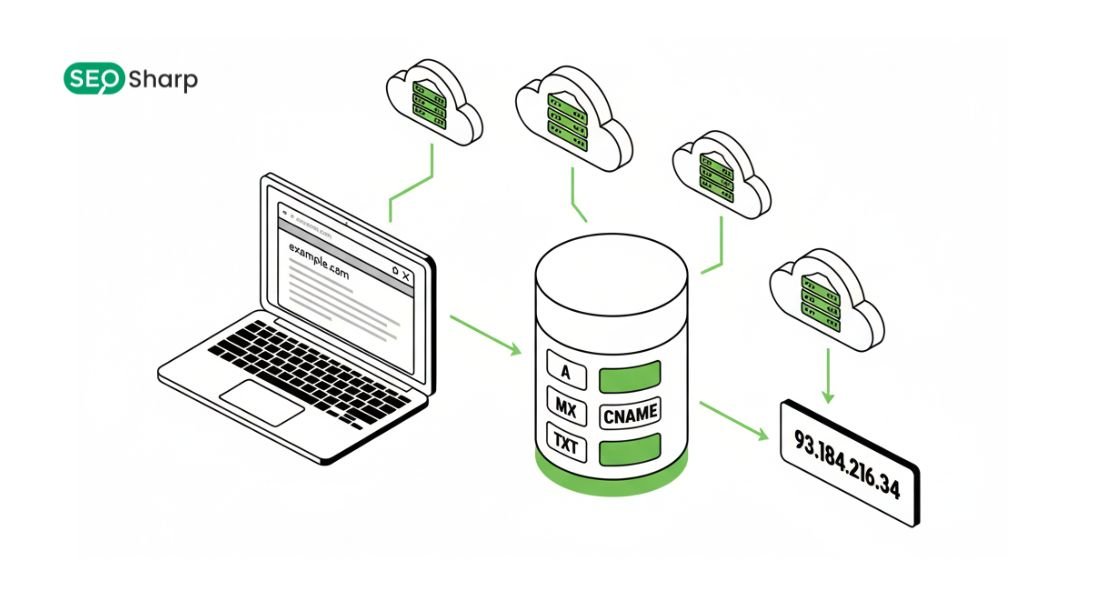
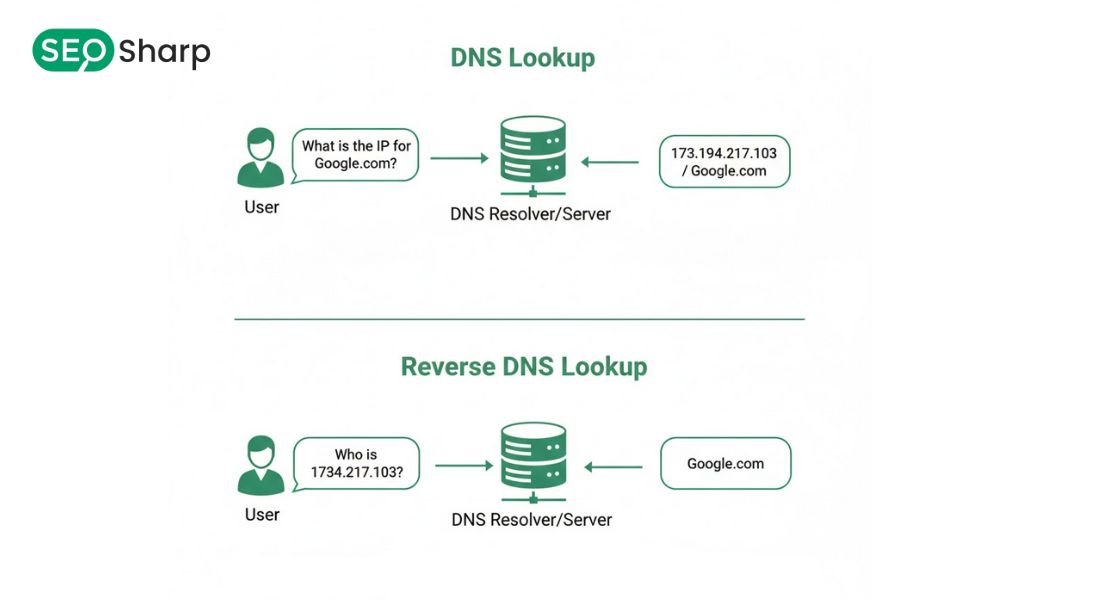
Reverse DNS lookup command is a method used to find the domain name associated with an IP address instead of finding an IP from a domain. In simple terms it answers the question of who an IP address belongs to and how it is identified on the internet.
This process plays a critical role in email delivery server trust security verification and network troubleshooting. When reverse DNS is missing or misconfigured emails fail servers lose credibility and applications behave inconsistently.
This article explains reverse DNS lookup commands step by step and also introduces SEOSharp’s Reverse DNS Lookup tool allowing you to run instant checks online before or alongside command based analysis.
Understanding Reverse DNS Before Using Any Reverse DNS Lookup Command
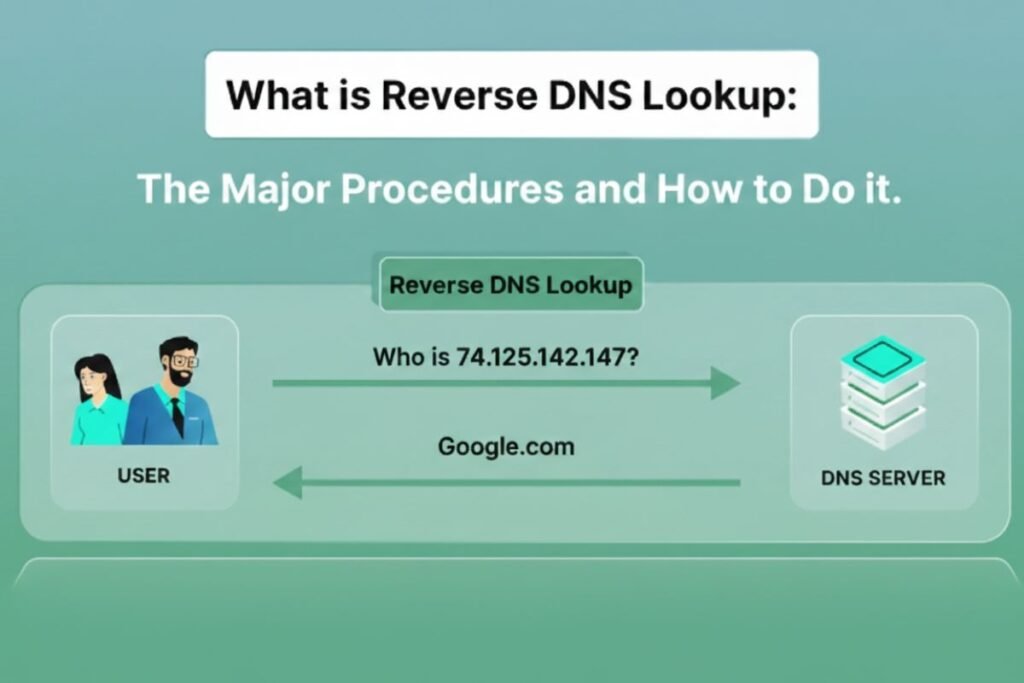
Before using a reverse DNS lookup command it is important to understand what reverse DNS actually does. Normal DNS resolves a domain name into an IP address so browsers know where to connect.
Reverse DNS works in the opposite direction by mapping an IP address back to a domain name. This reverse mapping is stored in special DNS records called PTR records.
These records live in reverse DNS zones that are controlled by hosting providers, ISPs or cloud platforms rather than domain owners. That is why reverse DNS issues are often overlooked or misunderstood.
Reverse DNS exists primarily for verification and trust. Email servers use it to confirm sender legitimacy. Security systems rely on it to validate connections.
Logs and monitoring tools use it to convert IP addresses into readable identities. A reverse DNS lookup command allows you to inspect this information directly instead of assuming it exists.
What Does a Reverse DNS Lookup Command Actually Do?
When you run a reverse DNS lookup command your system sends a query asking which domain name is associated with a specific IP address. The DNS resolver checks the appropriate reverse zone and returns the PTR record if one exists.
When a PTR record exists, the lookup will reveal the corresponding hostname. If it is missing or misconfigured the lookup fails or returns incomplete data. This failure does not always break websites but it creates serious problems for email servers, security checks and reputation systems.
Reverse DNS lookup commands give you direct confirmation of whether reverse DNS is set correctly or not. This clarity is essential when troubleshooting delivery failures or trust related issues.
Why Reverse DNS Lookup Commands Matter More Than People Realize?
Many users focus only on forward DNS and assume reverse DNS is optional. In reality reverse DNS is a major trust signal across the internet. Email servers often reject or flag messages when the sending IP lacks proper reverse DNS.
Security systems treat connections without reverse DNS as suspicious. Some APIs and enterprise systems log or restrict traffic based on reverse DNS identity.
A reverse DNS lookup command helps you verify whether your IP address appears legitimate to external systems. Without this check issues remain hidden and difficult to diagnose.
SEOSharp makes this process easier by allowing users to run a reverse DNS lookup instantly and understand the results before taking further action.
How Reverse DNS Lookup Commands Work Behind the Scenes?
Reverse DNS uses a different lookup structure than standard DNS. Instead of querying a domain the IP address is reversed and appended to a special domain extension. This mechanism allows DNS servers to locate the correct PTR record.
For example an IPv4 address is converted into a reversed format before the query runs. The DNS resolver then checks authoritative servers responsible for that IP range.
This process explains why reverse DNS is controlled by infrastructure providers rather than website owners. Understanding this distinction helps avoid confusion when PTR records cannot be edited directly.
Reverse DNS lookup commands expose this process clearly by showing where the query resolves and whether a valid response exists.
Using Reverse DNS Lookup Command in PowerShell
PowerShell provides a clean and structured way to perform reverse DNS lookups on Windows systems. Instead of returning raw text PowerShell displays DNS data in readable objects that are easier to interpret.
When you run a reverse DNS lookup command in PowerShell it queries the DNS resolver and returns PTR records associated with the IP address. This output helps you verify hostname mapping, identify mismatches and confirm trust alignment.
PowerShell is especially useful for repeated checks automation and troubleshooting across multiple IP addresses.
SEOSharp’s Reverse DNS Lookup tool complements this by offering immediate browser-based results making it easier to validate findings before or after using PowerShell.
Reverse DNS Lookup Command for Email Troubleshooting
Email delivery depends heavily on reverse DNS accuracy. Mail servers check PTR records to verify sender identity and reduce spam risk. If an IP address sending email does not have valid reverse DNS messages may be delayed, rejected or sent to spam folders.
This issue affects transactional emails, SaaS notifications and business communication. Using a reverse DNS lookup command allows you to confirm whether your sending IP resolves correctly to a hostname that matches your mail server configuration.
This check is often the missing step in email troubleshooting. SEOSharp helps non-technical users perform this validation quickly reducing guesswork and misdiagnosis.
Reverse DNS Lookup Command for Security and Monitoring
Security tools rely on reverse DNS to interpret traffic logs and identify unusual behavior. When IP addresses lack reverse DNS monitoring becomes harder and less reliable.
Reverse DNS lookup commands help security teams map IP activity to recognizable hostnames making investigation faster and more accurate.
This is especially valuable in cloud environments where IP addresses change frequently. By validating reverse DNS you improve traceability accountability and system visibility.
Reverse DNS Lookup Command vs Online Reverse DNS Tools
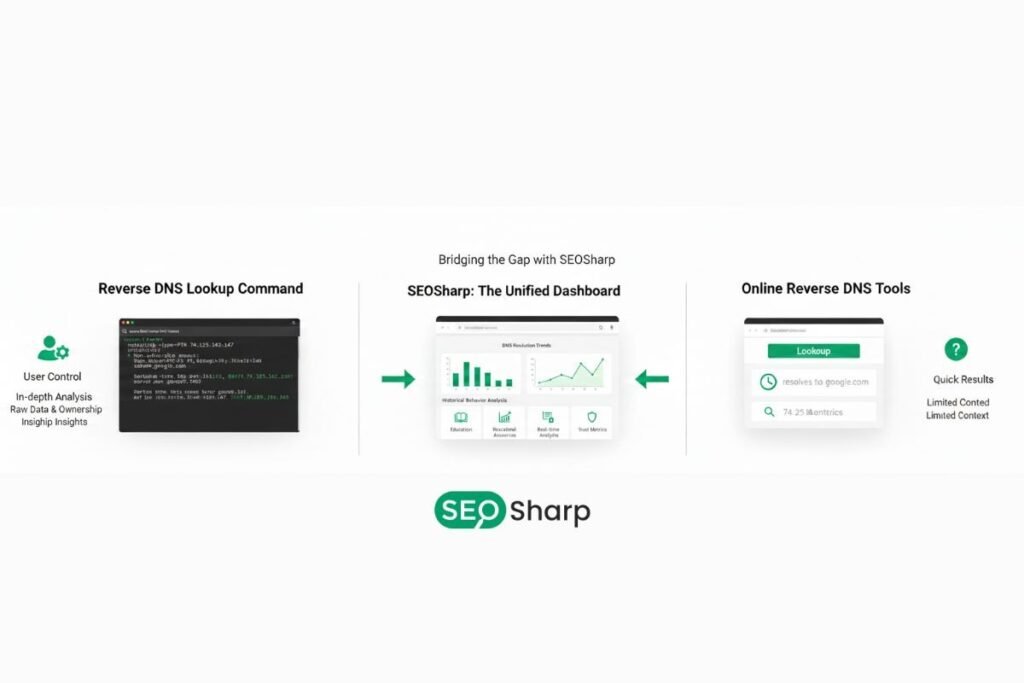
Online reverse DNS tools provide convenience but often lack context. They show results without explaining ownership, trust impact or next steps.
Reverse DNS lookup commands offer deeper control and understanding. You choose how queries run, where they resolve and how results are interpreted.
SEOSharp bridges both approaches by offering an educational visual interface that reflects real reverse DNS behavior while remaining accessible.
Common Reverse DNS Issues and Why They Happen?
Reverse DNS issues usually stem from missing PTR records, mismatched hostnames or incorrect IP ownership configuration. These problems often appear after server migrations, cloud deployments or IP changes.
Because reverse DNS is managed outside the domain’s DNS zone many users do not realize they must request changes from their provider.
A reverse DNS lookup command exposes these issues clearly allowing faster resolution and better coordination with infrastructure teams.
Advanced Reverse DNS Lookup Command Use Cases in Real Environments
The reverse DNS lookup command becomes especially valuable in real-world environments where problems do not affect every user equally. In many cases issues appear only for specific regions, networks or service providers.
By checking reverse DNS at the IP level you can quickly identify whether trust identity or routing problems exist behind the scenes. In large SaaS platforms multiple servers and rotating IP addresses are common.
If users from one region experience email failures, login issues or API errors the reverse DNS lookup command helps determine whether those IPs are properly mapped to valid hostnames.
This removes guesswork and allows teams to pinpoint DNS-related causes with confidence. Cloud-based infrastructure relies heavily on dynamic IP allocation.
When reverse DNS records are missing or outdated services such as mail servers, firewalls and third party APIs may treat traffic as untrusted.
A reverse DNS lookup command instantly reveals whether the PTR record matches the expected server identity. SEOSharp simplifies this process by allowing users to check reverse DNS instantly before moving into deeper system level troubleshooting.
Reverse DNS Lookup Command in Cloud and SaaS Infrastructure
Modern SaaS environments rarely use static servers. Auto scaling containers and load balancers continuously change IP addresses. In these setups reverse DNS lookup command plays a critical role in maintaining clarity and control.
When logs show only IP addresses troubleshooting becomes slow and confusing. A reverse DNS lookup command converts those IPs into readable hostnames making it easier to identify which service server or provider is involved.
Many cloud related failures appear random but are actually caused by missing or incorrect reverse DNS. While websites may still load background services such as authentication webhooks or outbound email often fail silently. Reverse DNS lookup exposes these hidden weaknesses early.
SEOSharp connects DNS visibility with performance and reliability helping teams understand infrastructure behavior beyond surface level symptoms.
Fixing Missing or Incorrect Reverse DNS Records
Fixing reverse DNS always starts with verification. A reverse DNS lookup command confirms whether a PTR record exists and whether it points to the correct hostname. If the lookup returns no result or an unexpected hostname the issue is not in your domain DNS settings.
Reverse DNS is controlled by the IP owner, usually your hosting provider, VPS vendor or cloud platform. Most providers allow reverse DNS configuration through their control panel.
The results from a reverse DNS lookup command provide clear evidence of what needs to be corrected making communication with provider support faster and more effective.
SEOSharp makes this step easier by clearly indicating whether a PTR record is valid, missing or misaligned with best practices.
Reverse DNS Lookup Command and Email Trust
Email systems strongly rely on reverse DNS as a trust signal. When an email is sent from an IP address without a valid reverse DNS record, receiving servers often flag the message as suspicious.
The reverse DNS lookup command is a foundational step in email troubleshooting. It confirms whether the sending IP resolves to a hostname that matches the mail server configuration.
Many transactional emails fail or land in spam not because of content issues but due to missing reverse DNS. Using a reverse DNS lookup command removes uncertainty and helps restore email reliability.
SEOSharp emphasizes DNS health as a key factor in maintaining consistent communication and brand trust.
Reverse DNS Lookup Command for Security and Monitoring
Security.toggle systems use reverse DNS to classify traffic and assess risk. Unknown or anonymous IP addresses are often treated as higher risk by default.
A reverse DNS lookup command adds context to raw IP data allowing security teams to understand where traffic originates and whether it aligns with expected infrastructure.
Monitoring and logging tools also benefit from reverse DNS. Logs become more readable, alerts become more actionable and incident response becomes faster.
SEOSharp positions reverse DNS as an essential part of security, not just a networking detail.
Reverse DNS Lookup Command vs Forward DNS Lookup
Forward DNS connects a domain name directly to its assigned IP address.The reverse DNS lookup command does the opposite by mapping an IP address back to a domain identity.
Having correct forward DNS does not guarantee system trust. Many services verify both directions before accepting traffic.
Reverse DNS lookup completes the DNS validation loop and ensures infrastructure is properly recognized by external systems.
SEOSharp helps users understand this difference so production systems are not deployed with incomplete DNS configurations.
Why Reverse DNS Often Confuses New Users?
Reverse DNS can feel confusing because it is not controlled from standard domain DNS panels. This leads many users to assume something is broken without understanding where the control actually resides.
The reverse DNS lookup command removes confusion by showing exactly what is configured at the IP level. Once the result is visible the correct next step becomes clear.
SEOSharp combines tools and explanations so users gain understanding instead of frustration.
How SEOSharp Makes Reverse DNS Easy to Understand?
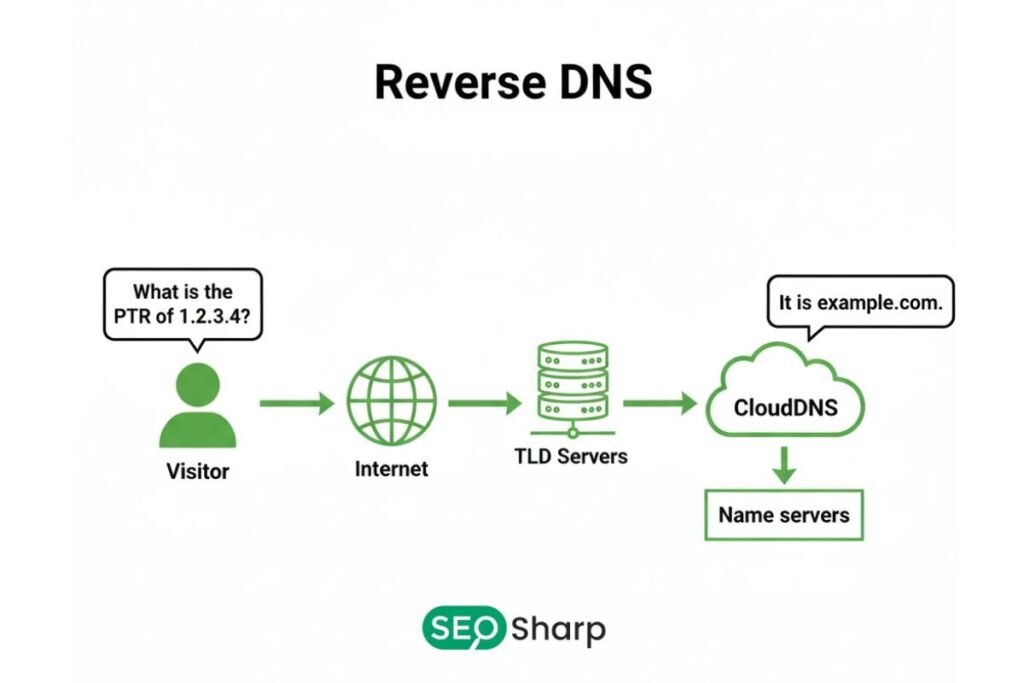
SEOSharp’s Reverse DNS Lookup tool presents command-level logic in a simple visual format. Users can instantly check reverse DNS without technical barriers. The tool does more than display results.
It explains what the output means and what actions may be required next. This approach helps users build long term DNS knowledge rather than relying on trial and error.
Conclusion: Why Reverse DNS Lookup Command Matters?
The reverse DNS lookup command is not optional for modern infrastructure. It directly affects email delivery security trust system monitoring and service reliability.
Ignoring reverse DNS can lead to silent failures that are difficult to trace. Using a reverse DNS lookup command provides the visibility needed to prevent these issues before they impact users.
SEOSharp exists to provide clarity, confidence and control. By combining practical tools with in depth education it helps users build stable, trusted and scalable systems.
FAQs
What is a reverse DNS lookup command used for?
A reverse DNS lookup command is used to find the domain name associated with an IP address. It is commonly used for email verification security checks and server identity confirmation.
Why does reverse DNS matter if my website is loading fine?
Websites may load without reverse DNS but email systems APIs and security tools often rely on it. Missing reverse DNS can cause silent failures even when websites appear normal.
Can I fix reverse DNS from my domain DNS settings?
No reverse DNS is controlled by the IP owner such as your hosting or cloud provider. You usually need to request or configure it through their dashboard or support.
How do I know if my reverse DNS is correct?
You can use a reverse DNS lookup command or SEOSharp’s Reverse DNS Lookup tool to check whether a valid PTR record exists and matches your server identity.
Is reverse DNS important for SEO?
Indirectly yes. Reverse DNS affects email delivery security trust and performance reliability all of which influence user experience and brand credibility.