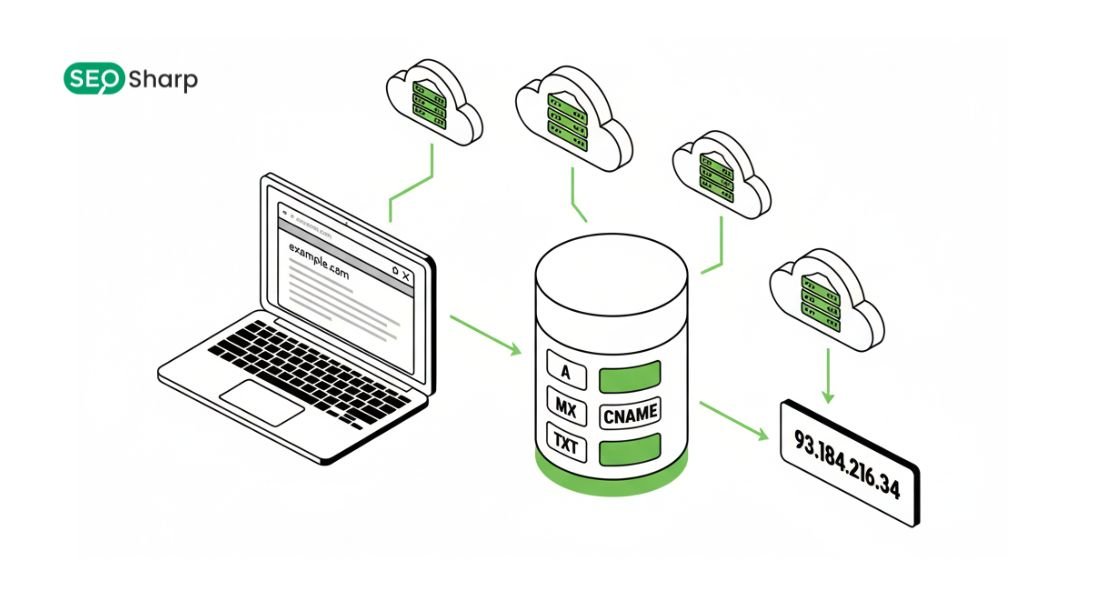
Understanding and verifying IP addresses is a crucial task for network administrators and cybersecurity professionals. Among the tools that make this possible, IPv6 reverse DNS lookup stands out as a powerful technique to determine the domain name associated with an IPv6 address.
This article will guide you through everything you need to know about IPv6 reverse DNS lookups from basic concepts to advanced implementations ensuring that by the end you can confidently perform, interpret and use reverse DNS for troubleshooting security and optimization.
Whether you are trying to verify server authenticity, troubleshoot email delivery or simply understand your network this guide will provide clear actionable information. By reading this article you will save time, avoid confusion and gain a practical understanding of reverse DNS in modern IPv6 networks.
What is IPv6 Reverse DNS Lookup?
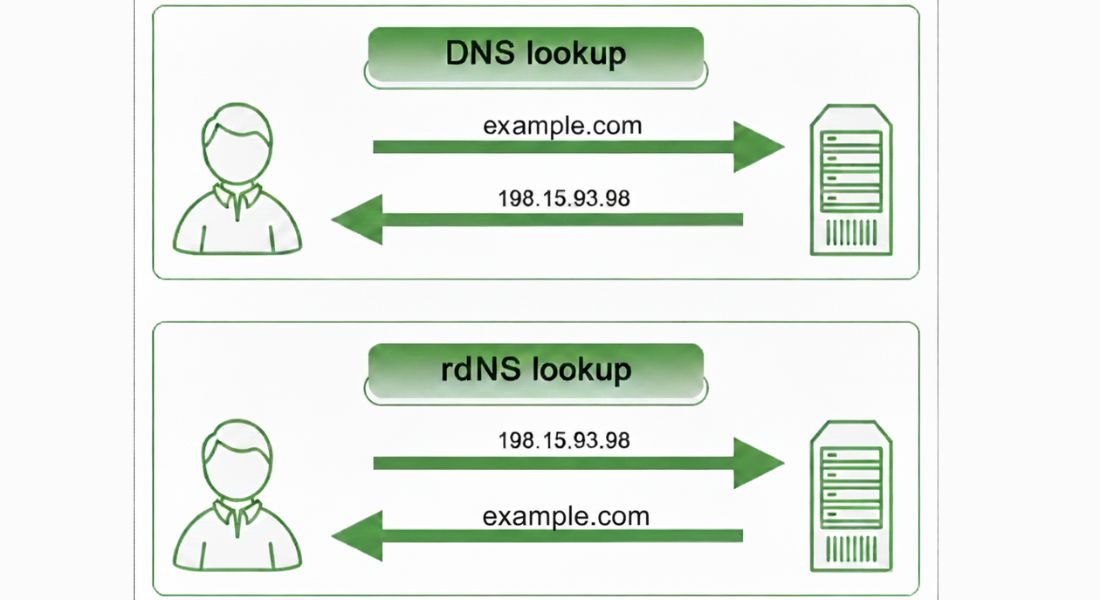
An IPv6 reverse DNS lookup is the process of querying the Domain Name System (DNS) to find the domain name associated with a given IPv6 address. Unlike a standard forward DNS lookup which converts a domain name into an IP address, reverse DNS goes in the opposite direction.
Each IP address can have a PTR record also known as a Pointer Record that maps it back to a hostname. IPv6 Reverse DNS lookups play a critical role in network troubleshooting email server verification and cybersecurity monitoring especially in complex IPv6 environments.
In IPv6 networks reverse DNS relies on the ip6.arpa domain where addresses are stored in reverse order at the nibble level. Each hexadecimal digit of the IPv6 address is treated as an individual subdomain creating a structured and hierarchical format that aligns with how DNS resolves queries.
This design allows DNS resolvers to efficiently locate the correct PTR record even within large IPv6 address spaces. Understanding this mechanism is essential for IT professionals who want accurate hostname resolution, reliable network validation and complete visibility across dynamically assigned IPv6 addresses.
Why IPv6 Reverse DNS Lookup Matters?
IPv6 Reverse DNS lookup is not merely a technical formality; it serves a practical and strategic role in modern networking. Email servers for example use reverse DNS to verify whether the PTR record of a sending IPv6 address matches the associated domain name.
This verification helps prevent spam spoofing and phishing attacks while also improving email deliverability for legitimate senders. Without proper reverse DNS configuration even trusted servers may experience email rejection or filtering issues.
Security analysts and penetration testers depend on reverse DNS to map IPv6 address ranges, identify exposed systems and understand potential attack surfaces.
From an operational standpoint IT administrators benefit from reverse DNS because system logs and monitoring tools display readable hostnames instead of raw IPv6 addresses making diagnostics and audits significantly easier.
When forward-confirmed reverse DNS is implemented it further strengthens trust by ensuring that an IP address and hostname resolve consistently in both directions. Overall reverse DNS enhances transparency security and operational reliability across IPv6 networks.
How does IPv6 Reverse DNS lookup Work?
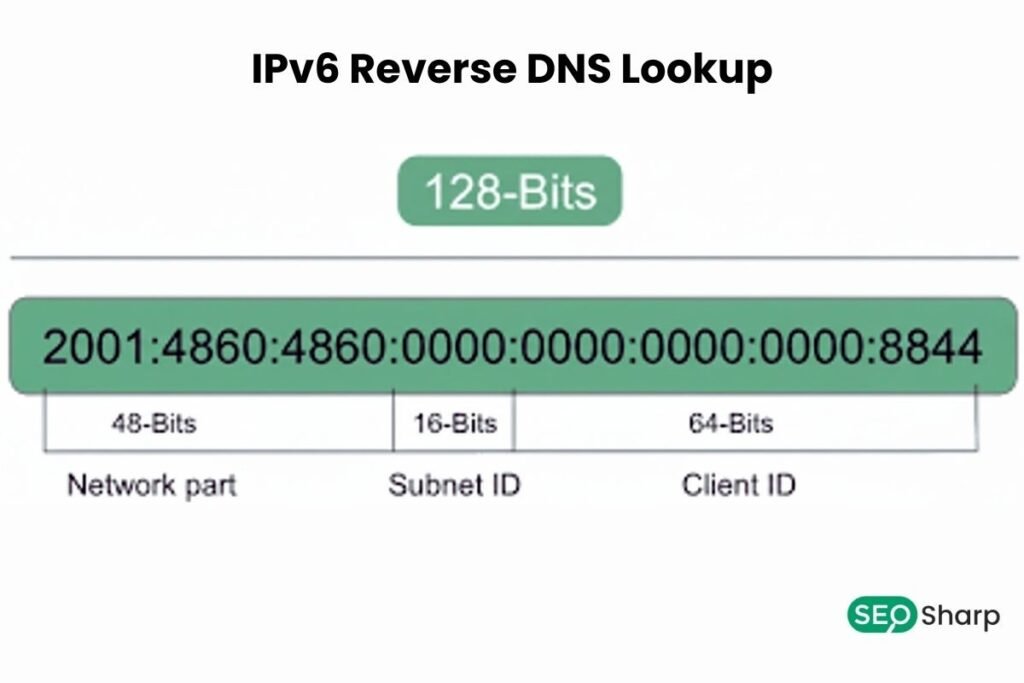
Performing an IPv6 reverse DNS lookup involves a precise sequence of technical actions that ensure accurate resolution. The process begins by fully expanding the IPv6 address as compressed notation cannot be used for reverse lookups.
For instance an address such as 2001:db8::567:89ab must first be expanded into its full form as 2001:0db8:0000:0000:0000:0000:0567:89ab. This expansion ensures all 128 bits of the address are explicitly represented.
Once expanded each hexadecimal digit also known as a nibble is reversed individually. This reversal allows the DNS system to traverse the ip6.arpa hierarchy efficiently moving from the most specific portion of the address to the most general.
After reversing the digits dots are inserted between each nibble and the ip6.arpa suffix is appended to form the final reverse DNS query. When this query is submitted a recursive DNS resolver contacts authoritative DNS servers to retrieve the PTR record.
If the record exists and is correctly configured the resolver returns the hostname associated with the IPv6 address. This process is fundamental for validating server identity, confirming domain ownership and supporting secure email communication.
Generating IPv6 PTR Records
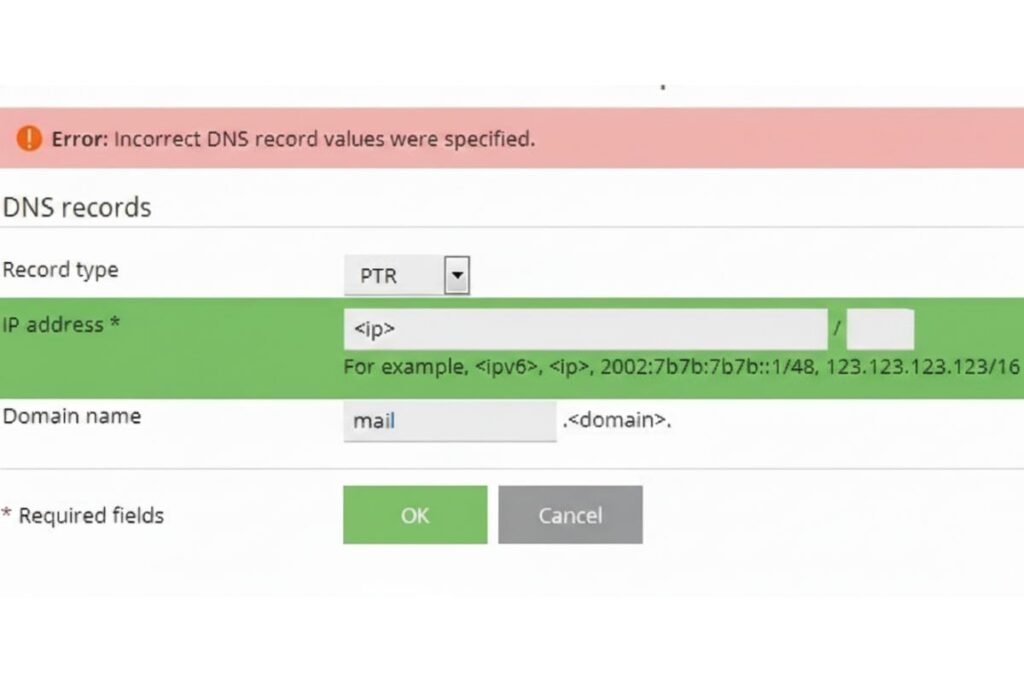
Generating IPv6 PTR records requires accuracy and attention to detail to ensure reliable reverse DNS functionality. The process starts by converting the IPv6 address into its full 128-bit expanded representation.
Once expanded all colons are removed so the address becomes a continuous hexadecimal string. Each hexadecimal digit is then reversed in sequence to match DNS resolution requirements.
After reversing the digits dots are placed between every hexadecimal character and the ip6.arpa domain is appended. For example an address like 2002:7f00:1:: when expanded and processed results in a reverse DNS entry ending in ip6.arpa that precisely maps back to the intended hostname.
These PTR records are added to the appropriate DNS reverse zone either through DNS zone files or via a hosting provider’s DNS management interface.
Correctly generated PTR records improve email authentication, simplify troubleshooting and support forward confirmed reverse DNS which further strengthens trust between IP addresses and hostnames.
Common Uses of IPv6 Reverse DNS
IPv6 reverse DNS lookup is widely used across network administration cybersecurity and operational workflows due to its versatility. Email systems rely heavily on reverse DNS to confirm that sending IPv6 addresses are legitimately associated with the domains they claim to represent.
Verification helps reduce spam and improves sender reputation. Network monitoring and logging systems use reverse DNS to translate numeric IPv6 addresses into readable hostnames making audits diagnostics and performance analysis far more manageable.
From a security perspective reverse DNS assists analysts in mapping IPv6 address ranges, identifying unknown hosts and understanding the structure of a target network during assessments or investigations.
Forward-confirmed reverse DNS further enhances trust by ensuring consistent bidirectional resolution between IP addresses and hostnames.
Many organizations also use reverse DNS APIs to automate verification across large IPv6 address blocks supporting scalable audits and configuration checks.
Troubleshooting Reverse DNS Issues
Even well-maintained networks can experience reverse DNS issues due to configuration errors or external dependencies. Common problems include missing PTR records, incorrect reverse zone delegation or delays caused by DNS propagation.
When a IPv6 reverse DNS lookup fails administrators should first confirm whether a PTR record exists for the IPv6 address within the authoritative DNS server. The next step involves validating that the ip6.arpa reverse zone is correctly configured and properly delegated.
Diagnostic tools such as PowerShell DNS Lookup, DNS Resolve Command or trusted online IPv6 reverse DNS lookup services can help pinpoint where the resolution process breaks down.
In many hosted environments PTR records are controlled by the ISP or cloud provider making coordination necessary to implement corrections.
Verifying forward confirmed reverse DNS is also essential as mismatches between forward and reverse records can impact email delivery and system trust.
In Cisco-based network environments, administrators may temporarily Disable DNS Lookup Cisco settings during troubleshooting to prevent unnecessary delays caused by unresolved reverse DNS queries.
Reverse DNS Lookup for Security and IT Management
In security and IT management reverse DNS lookup provides visibility and control across complex IPv6 infrastructures. Administrators use reverse DNS to verify host identities, detect unusual naming patterns and uncover misconfigured systems.
Network mapping becomes more effective when IP ranges can be associated with meaningful hostnames improving situational awareness.
Penetration testers rely on reverse DNS to enumerate hostnames within IPv6 ranges revealing potential services and attack vectors. Automation further enhances these capabilities as reverse DNS APIs allow organizations to perform large scale audits, compliance checks and reporting tasks efficiently.
When integrated with security monitoring and vulnerability scanning tools reverse DNS becomes a proactive component of network defense and governance.
Integrating Reverse DNS with Other DNS Tools
IPv6 Reverse DNS lookup delivers maximum value when combined with other DNS tools and techniques. DNS TXT lookups provide additional metadata and domain verification details supporting authentication mechanisms and ownership validation.
DNS SRV lookups reveal service specific records that are essential for applications such as VoIP messaging platforms and directory services.
Visual resources like a DNS lookup flow diagram labelled help administrators understand how queries move from clients to authoritative servers making troubleshooting more intuitive.
When performance issues arise, applying best practices from guides on how to fix slow DNS lookup can improve resolution speed by addressing caching latency or configuration problems.
Together these tools create a comprehensive DNS management ecosystem that supports secure, efficient and reliable IPv6 operations.
Conclusion
Mastering IPv6 reverse DNS lookup is essential for network administrators, cybersecurity experts, and anyone responsible for maintaining reliable and secure networks. By understanding how PTR records work, learning the correct procedures to generate and verify them and integrating reverse DNS with other DNS tools such as the DNS lookup solutions available on seosharp you gain a comprehensive view of your network.
Reverse DNS not only improves email deliverability and spam protection but also enhances system monitoring, security analysis and troubleshooting. Properly configured reverse DNS ensures trust, transparency and reliability across your organization’s digital infrastructure and platforms like seosharp help simplify ongoing verification and testing.
Whether for practical IT management or advanced security testing, IPv6 reverse DNS is a tool that every professional should know inside and out.
By following the steps in this guide and validating your setup using seosharp’s free DNS lookup tool, you can confidently implement, test and maintain IPv6 reverse DNS lookup across your networks delivering both operational efficiency and peace of mind.
FAQs
What is the difference between IPv4 and IPv6 reverse DNS?
IPv4 reverse DNS uses the in-addr.arpa domain with octets reversed. IPv6 reverse DNS uses ip6.arpa where each hexadecimal nibble is reversed making the structure more granular and scalable.
Do all IPv6 addresses have PTR records?
No PTR records are recommended but not mandatory for every IPv6 address. Many networks still operate without them but missing PTRs can affect email trust and logging.
Why is reverse DNS important for email servers?
Email servers use reverse DNS to verify sender legitimacy. Missing or mismatched PTR records often cause emails to be marked as spam or rejected.
Can I generate IPv6 PTR records manually?
Yes by fully expanding the IPv6 address reversing each hexadecimal digit adding dots and appending .ip6.arpa. This method follows the standard IPv6 reverse DNS format.
What tools can I use for reverse DNS lookup?
You can use PowerShell DNS Lookup, DNS Resolve Command, online reverse DNS tools or APIs. These tools help verify PTR records and troubleshoot resolution issues.
How long does it take for PTR records to propagate?
PTR record propagation usually completes within a few hours. In some cases it may take up to 48 hours depending on DNS caching and TTL settings.
Is forward confirmed reverse DNS (FCrDNS) required?
No FCrDNS is not mandatory. However it significantly improves trust email deliverability and server validation.