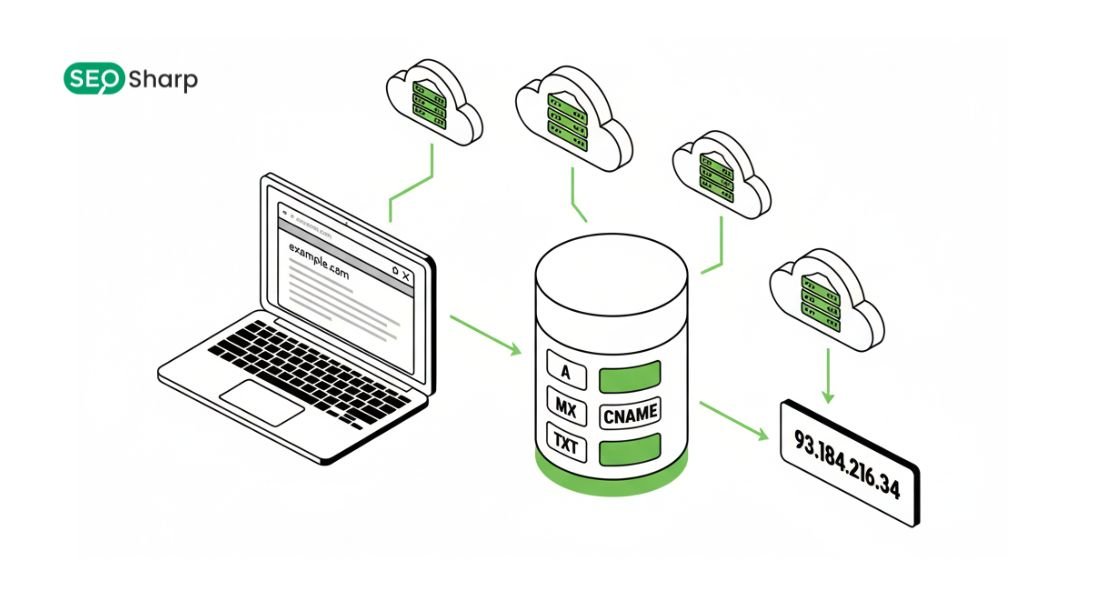
Finding your DNS server may sound technical but it is one of the most practical skills anyone managing a website SaaS product email system or even a home network can learn.
When users ask “how to find my DNS server” they are usually trying to understand where their internet traffic is being resolved, why something is slow or whether their setup is secure and correct.
In simple terms your DNS server decides how quickly and accurately domain names turn into reachable destinations.
This guide explains what that means, shows you how to find my DNS server on any system and helps you verify and analyze it using SEOSharp’s DNS Lookup tool so you can act with confidence instead of guesswork.
What Does “How to Find My DNS Server” Actually Mean?
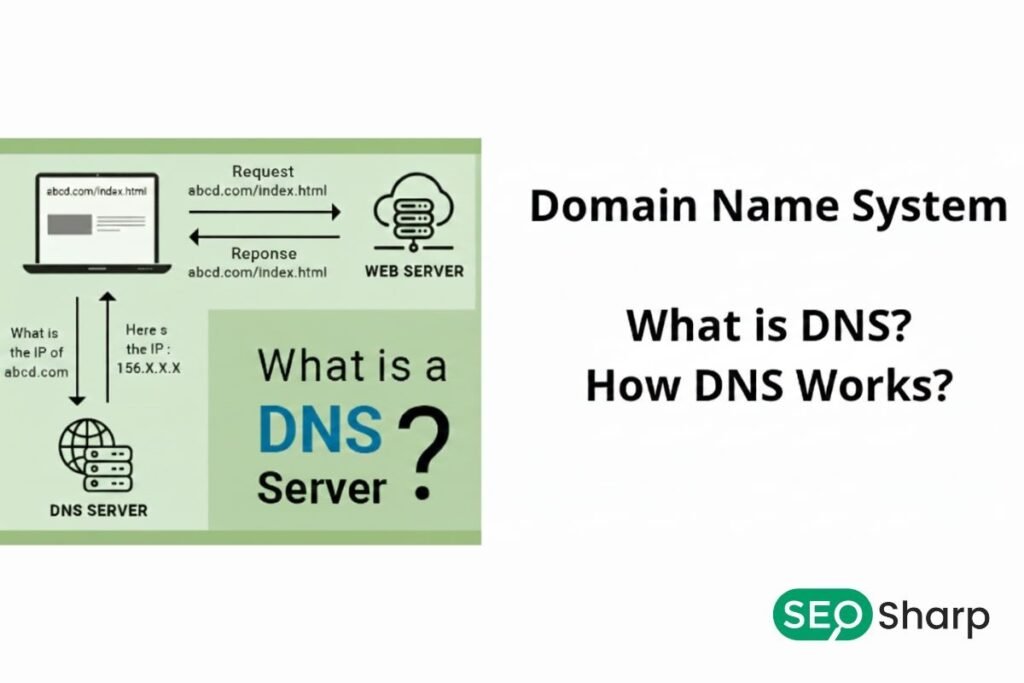
When someone searches for how to find my DNS server they are usually not asking about DNS in theory. They want a clear practical answer to a simple question: which DNS resolver is my device or network using right now to convert domain names into IP addresses?
Every internet activity depends on this process whether you are opening a website, sending an email or connecting to an online service.
In most cases the DNS server is not something users choose intentionally. It may be provided automatically by the internet service provider assigned by a router changed by a VPN or manually set to a public DNS service like Google or Cloudflare.
Because these changes often happen in the background many users do not realize which DNS server is actually in use at a given moment.
Knowing your active DNS server is important because it directly affects speed, reliability and security. A slow or misconfigured DNS server can cause websites to load late services to fail or connections to behave inconsistently.
By identifying which DNS server your system is using you take the first step toward diagnosing performance issues, resolving configuration errors and making informed decisions about whether a change is needed.
Why Should You Care About Finding Your DNS Server?
DNS often works quietly in the background which is why it is ignored until something breaks. Slow website emails landing in spam SaaS integrations failing or domains not resolving correctly often trace back to DNS configuration issues.
If you do not know which DNS server is responding to your queries, troubleshooting becomes guesswork. For website owners DNS affects SEO uptime and trust. For SaaS teams it impacts API reliability and customer experience.
Even for everyday users the DNS server can influence speed, privacy and security. Understanding how to find it gives you control instead of assumptions.
How Does DNS Resolution Work Behind the Scenes?
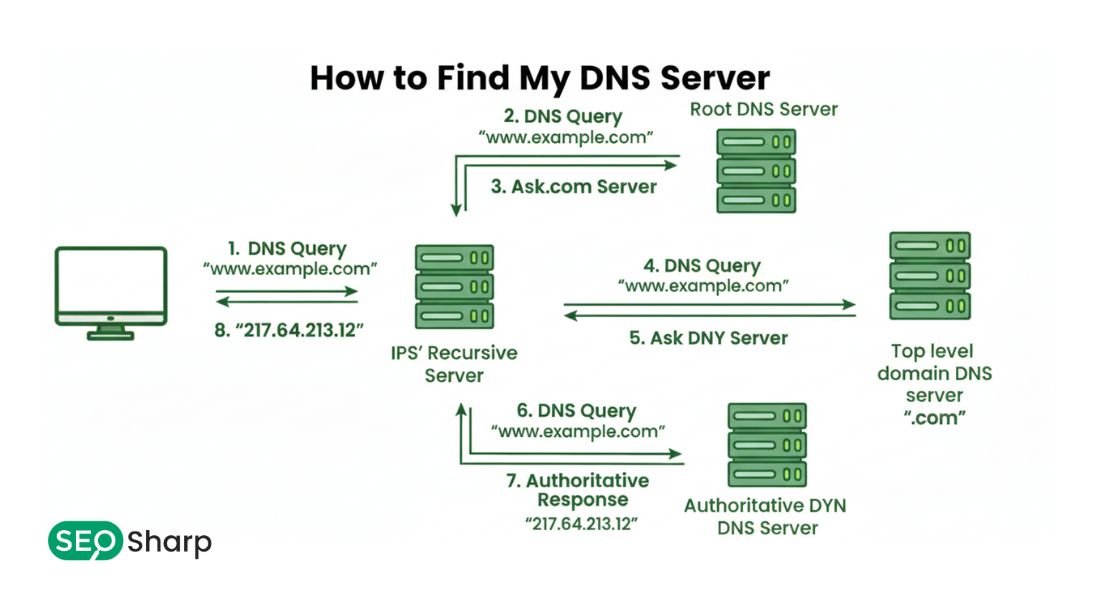
Before learning how to find my DNS server it helps to understand what happens during DNS resolution. When you type a domain name into a browser your system checks its local DNS cache to see if it already knows the answer.
If not it forwards the query to a recursive DNS resolver which is the DNS server you are trying to identify. That resolver may query root servers, top level domain servers and authoritative name servers until it finds the correct record.
It then returns the result and stores it temporarily based on the TTL value. The entire process usually takes milliseconds but misconfigured or overloaded DNS servers can slow everything down.
How Can You Find Your DNS Server on Windows?
On Windows systems DNS server information is typically assigned through network settings or automatically delivered via DHCP by your router or ISP. When you check it manually you are identifying the exact resolver that currently translates domain names into IP addresses for your system.
This is important because the DNS server directly influences how quickly websites load and whether certain domains resolve at all.
To opening the command prompt and reviewing the network configuration allows you to see if your system relies on an ISP DNS, a public DNS like Google or Cloudflare or a custom address set by an organization or VPN.
This insight becomes essential when troubleshooting slow websites, inconsistent access or blocked domains. Windows also stores DNS results locally so knowing the active DNS server helps you decide whether flushing the cache or switching resolvers will actually resolve the issue.
How Can You Find Your DNS Server on macOS?
MacOS handles DNS resolution through a layered system that can use multiple resolvers at the same time. Wi-Fi Ethernet VPN connections and even mobile hotspots can each introduce their own DNS settings which macOS prioritizes dynamically.
When you look up your DNS server on macOS, seeing multiple entries is common and explains why the same domain may behave differently across networks.
This is especially relevant for developers and SaaS teams testing applications in staging and production environments.
Understanding this DNS behavior helps diagnose issues where websites load on one network but fail on another. It also clarifies why enabling or disabling a VPN can instantly change resolution results without touching browser or system settings.
How Can You Find Your DNS Server on Linux Systems?
Linux provides deep control over DNS configuration which makes it powerful but sometimes complex. Depending on the distribution DNS may be managed by systemd resolved NetworkManager container level resolvers or static configuration files.
Finding your DNS server on Linux is critical for both desktop users and server administrators because DNS impacts updates API communication service discovery and monitoring tools.
A misconfigured DNS resolver can cause silent failures that look like application bugs. By identifying where DNS is defined administrators can improve reliability, enforce redundancy and apply security controls consistently. This visibility allows teams to prevent DNS related outages instead of reacting after services fail.
How Do Routers and ISPs Decide Your DNS Server?
In many setups your router acts as an intermediary between your device and the DNS resolver. The router may forward DNS queries to your ISP’s servers, a public DNS service or a manually configured resolver.
When users ask how to find my DNS server they are often surprised to discover that the answer depends on where they check. The DNS server shown on a device may be the router’s local address while the router itself points to an external resolver.
Understanding this hierarchy helps avoid confusion and explains why changing DNS settings on a router affects every connected device.
How Can Online Tools Help You Find Your DNS Server Instantly?
Manual checks show configuration but they do not always reveal how DNS behaves in real world resolution. This is where an online DNS lookup tool becomes essential. SEOSharp’s DNS Lookup tool allows you to see how a domain resolves across different DNS servers and regions.
Instead of guessing whether your DNS server is responding correctly you can verify live results, compare responses and identify inconsistencies.
This approach bridges the gap between local configuration and global DNS behavior which is especially valuable for websites, SaaS platforms and email systems.
How Does SEOSharp’s DNS Lookup Tool Fit Into This Process?
SEOSharp’s methodology focuses on clarity and action. After you find this common concern “How to find my DNS Server” locally our tool helps you validate what that server actually returns. You can check records to confirm propagation and spot mismatches between expected and actual resolution.
This combination of learning and tooling fulfills the common user intent of “give me the information and show me how to use it.” Instead of switching between guides and tools users stay in one place and move confidently from understanding to execution.
How Does DNS Server Choice Affect Website Speed and SEO?
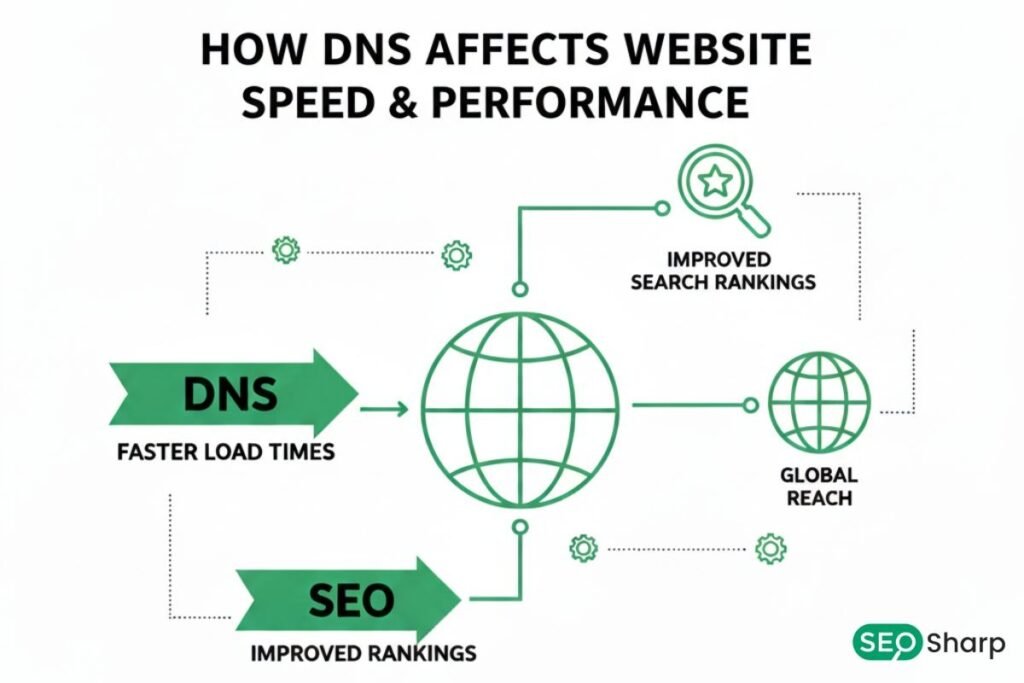
Search engines care about user experience and DNS resolution is the first step in every website visit. A slow or unreliable DNS server increases time to the first byte which indirectly affects SEO performance and conversion rates.
When you know how to find my DNS server you can evaluate whether it is optimized for speed and redundancy. Many high performing sites use public DNS or managed DNS providers to reduce latency and improve reliability.
SEOSharp’s DNS Lookup tool helps you visualize these differences and make data-driven decisions instead of assumptions.
How Does DNS Impact Email Delivery and Trust?
Email systems rely heavily on DNS records such as TXT MX SPF DKIM and DMARC. If your DNS server resolves these records incorrectly or inconsistently, legitimate emails may fail authentication checks.
This term “How to find my DNS Server” helps you understand where email receivers are querying your domain. By validating DNS responses using SEOSharp you can ensure that authentication records are visible and correct, reducing spam placement and improving sender reputation.
How Can VPNs and Security Tools Change Your DNS Server?
VPNs antivirus software and corporate security tools often override DNS settings to filter or monitor traffic. Users asking how to find my DNS server are sometimes surprised to discover that their DNS has changed without manual action.
This explains why certain websites load differently or fail entirely when a VPN is active. Identifying the active DNS server allows you to test scenarios accurately and avoid false conclusions during troubleshooting.
How Do Professionals Use DNS Server Information in Real Projects?
In real world SaaS environments DNS server awareness prevents downtime and integration failures. One SEOSharp client experienced intermittent API failures because their staging environment used a different DNS resolver than production.
By identifying and aligning DNS servers they eliminated inconsistencies and improved reliability. This kind of issue is common but often misdiagnosed. Knowing how to find my DNS server turns invisible infrastructure into something measurable and manageable.
How Can You Verify DNS Changes and Propagation Correctly?
DNS changes do not always take effect instantly due to caching and TTL values. This term “How to find my DNS server” helps you understand where cached data may persist. SEOSharp’s DNS Lookup tool allows you to compare authoritative responses against cached results helping you confirm whether changes have propagated or if you need to wait. This reduces unnecessary rollbacks and repeated edits caused by impatience or misunderstanding.
How Does Reverse DNS Relate to Finding Your DNS Server?
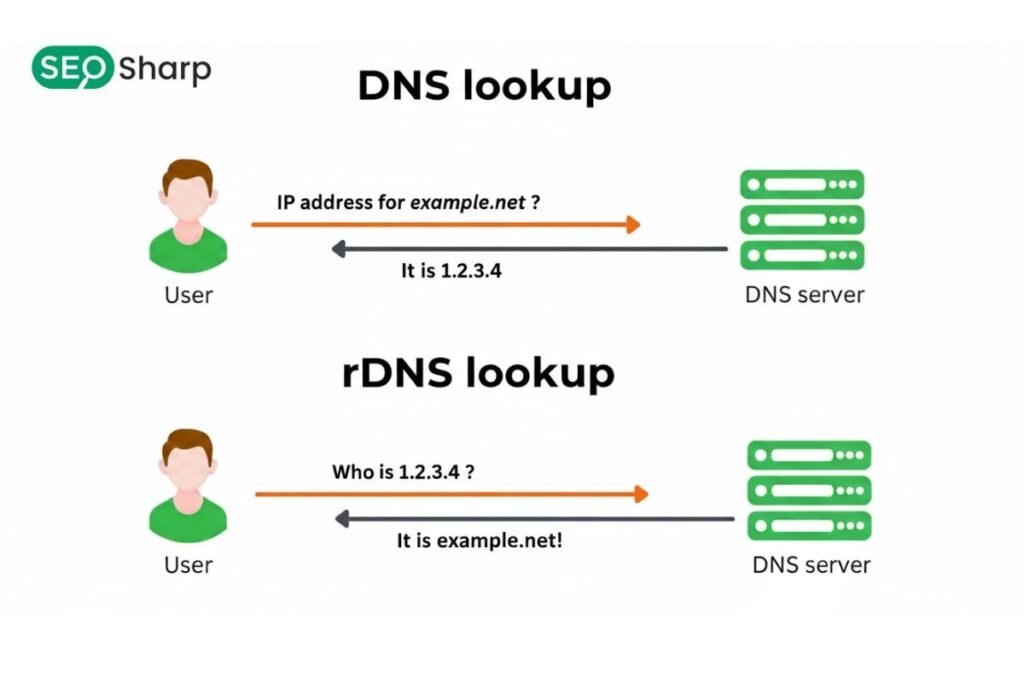
Reverse DNS lookup maps IP addresses back to hostnames and plays a role in trust and email validation. While forward DNS tells you where a domain points, reverse DNS tells others who own an IP.
Understanding both directions helps complete the DNS picture. SEOSharp integrates reverse lookup visibility so users can see how infrastructure appears externally which is especially important for mail servers and SaaS APIs.
Conclusion: How to Find My DNS Server With Confidence?
Understanding how to find my DNS server is not just a technical exercise; it is a foundational skill for anyone who relies on the internet for business or communication. When you know where your DNS queries go you gain clarity over performance security and reliability.
This guide showed you how DNS works, how to identify your DNS server across systems and how to validate real world behavior using SEOSharp’s DNS Lookup tool.
Instead of guessing or copying settings blindly you can now make informed decisions troubleshoot faster and maintain a stable trusted online presence. If you want to move from understanding to action use SEOSharp’s free DNS Lookup tool to see your DNS exactly as the internet sees it.
FAQs
Can my DNS server change automatically?
Yes, your DNS server can change automatically when you switch Wi-Fi networks, enable a VPN, reset your router or accept ISP updates. This is why checking your DNS periodically helps avoid unexpected resolution or security issues.
Is my ISP DNS always the default?
In most home setups ISP DNS is the default but routers VPNs firewalls or manual device settings can silently override it. Many users don’t realize this until a DNS issue appears.
Does changing DNS improve internet speed?
Changing DNS does not increase your internet bandwidth but it can reduce website loading delays by resolving domains faster. The real benefit comes from reliability and quicker name resolution.
Can I use multiple DNS servers at once?
Yes operating systems support primary and secondary DNS servers so requests automatically fall back if one server fails. This improves uptime and reduces browsing interruptions.
Is public DNS safer than ISP DNS?
Public DNS providers often include security filtering, faster infrastructure and better uptime than ISP DNS. However safety also depends on the provider’s privacy policy and data handling practices.
How do I confirm my DNS server is working correctly?
You can confirm this by comparing your device’s DNS configuration with real-time query results using a DNS lookup tool like SEOSharp. Matching results indicate proper resolution.
Do DNS servers affect SEO directly?
DNS servers don’t affect rankings directly but slow or unreliable DNS impacts site availability and speed. These factors influence user experience which indirectly affects SEO performance.